Skip to content

Step-by-step guide

How to Make a Rumpelstiltskin AI Video

Everything that decides whether your Rumpelstiltskin AI video looks right: the photos, the roles, the settings — and how to add the trending sound.

10, 20 or 30 seconds · 720P or 1080P · Portrait or landscape

  • Best friends
  • Couple
  • Your dog as Rumpelstiltskin
  • Birthday roast
Casting call · 9:16 · 10 s0/2 cast
The dancerYou · face clear · waist-up or full body
The princessOptional · empty = original partner

Your face, our fairy-tale costume. One person or pet per photo, at least 240 × 240 px — only people who agreed to be in it.

Checking your video balance…

One-time payment · Generation starts after payment

Uses 17 credits · Deducted upfront, refunded on failure

By creating, you confirm you have permission to use every photo you upload. Terms of Service

Real AI-generated samples

The original clip your video follows

The generator follows this original viral clip, with your uploaded photos replacing the characters. 10 seconds uses the shush-and-dance excerpt; 20 and 30 seconds follow the longer original sequence.

Original reference · 10 seconds · Source audio removed

The wide video is the reference clip, shown without its source audio. The portrait samples below were generated from the displayed AI identity photos using that same reference, with our original vocal soundtrack. Sam / Dean is unofficial fan parody. AI likeness and motion can vary.

Generated video · Play with sound · Real AI-generated samples
01

One photo, the original tiptoe dance

10 seconds · 720P · Original vocal soundtrack

One AI portrait of an everyday person replaces the dancer, while the original princess remains. Generated through the same website flow available to you, using the original viral clip for the barn, shush and tiptoe steps. Includes our original vocal soundtrack. AI likeness and motion can vary.

Watch this example
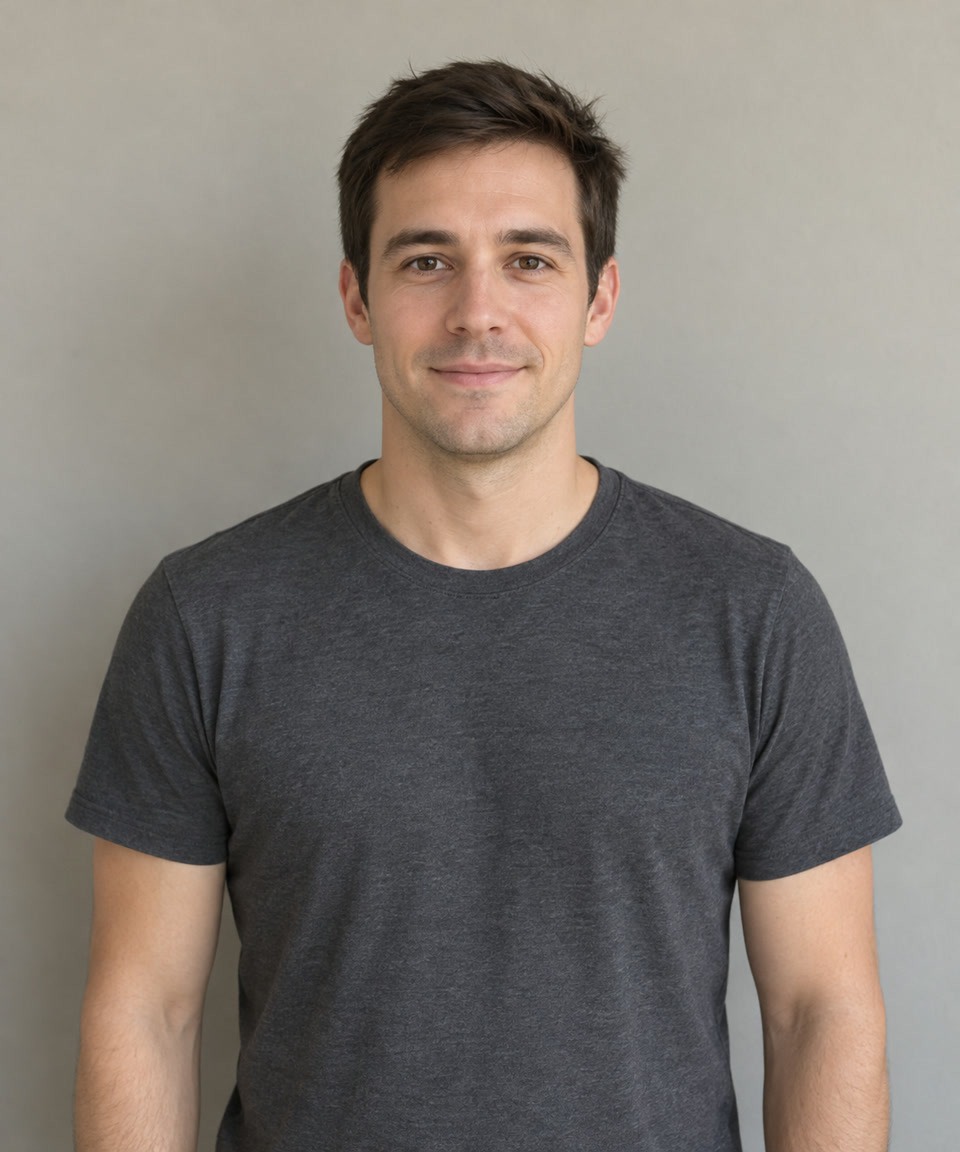

One photo, the original tiptoe dance · The dancer · You
The dancer · You
Generated video · Play with sound · Real AI-generated samples
02

Sam and Dean follow the original dance

10 seconds · 720P · Original vocal soundtrack

Unofficial Sam / Dean fan parody made with two AI identity portraits and the actual viral reference clip. The source guides the shush, tiptoe steps and barn; the finished video includes our original vocal soundtrack. AI likeness and motion can vary.

Watch this example
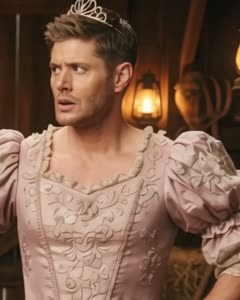
Sam and Dean follow the original dance · The dancer · You
The dancer · You
Sam and Dean follow the original dance · The princess · Optional
The princess · Optional
Generated video · Play with sound · Real AI-generated samples
03

A golden retriever does the tip toe dance

10 seconds · 720P · Original vocal soundtrack

One golden retriever portrait replaces the dancer; the original princess remains. The actual viral reference clip guides the barn, shush and tiptoe dance. The AI gives the dog a human-like costumed body and hands. Includes Midnight Mischief, our original AI-created soundtrack. AI likeness and motion can vary.

Watch this example
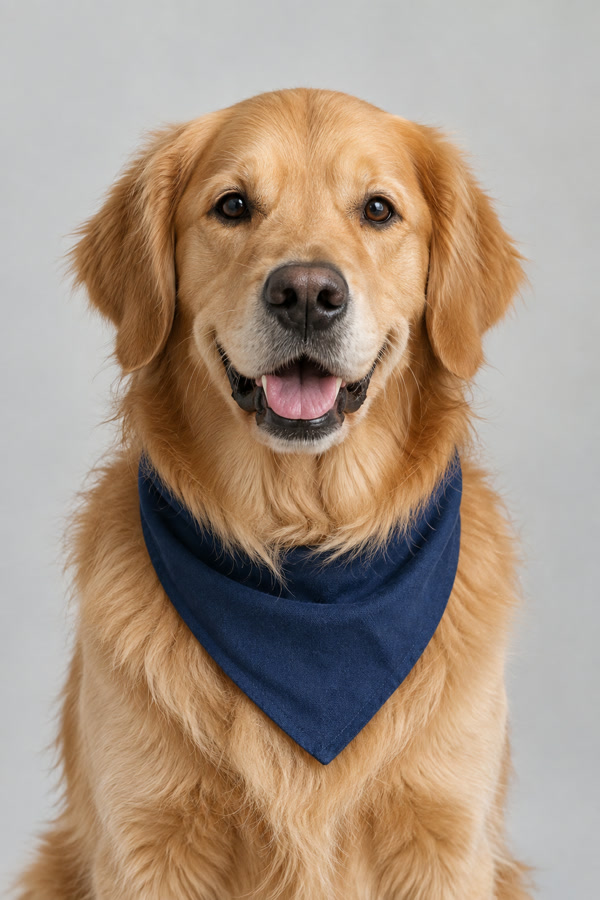
A golden retriever does the tip toe dance · The dancer · You
The dancer · You

Before you upload

The single biggest factor is photo quality. Use one person per photo, face the camera, keep the light in front of the face, and skip sunglasses, masks and heavy filters. Blurry or very small photos give blurry results.

The two photos don’t have to be taken together, in the same light or even in the same year. Each subject is placed in the barn separately, so a photo of you from last summer and a photo of your friend from a wedding both work.

Photo 1 becomes the tiptoe dancer. Photo 2 is the princess — optional; leave it empty to keep the original partner.

The four things that matter

Photo 1 is the dancer

The first slot always becomes the tiptoeing Rumpelstiltskin, the second the princess. Check the order before generating.

Length scales the price

Credits are per second of video, so 10 seconds costs a third of 30 seconds. Start short to test your photos.

Resolution changes the look

720P is enough to judge the performance; 1080P is what you post.

Add the sound when posting

Choose our original vocal soundtrack or export silent and add a licensed platform sound before publishing.

Which tool actually makes it?

CapCut, green screen or AI face swap: which do you need?

When someone asks how to make that weird little man dance on TikTok, they might mean adding a caption to the existing clip or making themselves the dancer. Those are different jobs, and you don't always need to pay for AI.

CapCut or TikTok template

Best for quick edits, captions and syncing an existing clip to a sound. Some templates offer extra effects; check what the selected template actually changes. A regular video edit won't automatically recast both people.

Green screen or simple meme editor

Best for putting the existing tiptoeing character over your own photo or video and adding a joke caption. You change the background or text, not the dancer's face. This is often enough for a free meme.

AI face replacement from photos

Best when you want yourself, a consenting friend or your pet to become the dancer. Upload one photo, optionally add a second for the princess, then generate a new clip. Likeness and motion can vary, and full videos use paid credits.

Only adding text or changing the background? Use an editor. Want the same recognizable barn-and-tiptoe moment starring your own people or pet? Choose photo-to-video generation. You can export silent and add licensed music in TikTok or Reels.

Rumpelstiltskin AI walkthrough questions

The practical details that decide how the finished video looks.

What photos work best?

One clear, front-facing photo per person with the face well lit and unobstructed. Avoid group photos, extreme angles and heavy filters.

Which settings should I pick first?

Start with 10 seconds at 720P to check the faces and the dance, then render a longer or sharper version. Failed renders are not charged.

How long does a render take?

Most videos are ready in minutes. Longer and higher-resolution videos take longer, so keep the page open while it works.

Why did my video fail?

Renders can fail when a photo has no clear face, when several people share the frame, or when the service is busy. Try a clearer photo, or generate again. Failed renders are never charged.

Can I add the song?

Choose Original vocal track in the generator to include Midnight Mischief. For the trending recording, export silent and add it from your platform’s licensed sound library.

What do I do after the render?

Preview the video, download it, add the Tip Toeing in My Jordans sound in TikTok or Instagram, turn on the AI-generated label and post it with #rumpelstiltskin or #tiptoeinginmyjordans. If you want a different take, render again — each render is billed separately.

What app makes that creepy little man dance meme?

For a caption or background edit, try a CapCut/TikTok template or green-screen editor. To replace the dancer with your own face, use a photo-to-video generator: upload your portrait and optionally a second person's portrait to cast both roles.

Can I make my friend or dog do the weird tiptoe dance?

Yes. Upload a clear photo of a friend who agreed to be in the video, or a photo of your pet, in the dancer slot. Pet results can be stylized with a human-like costume or limbs, and AI likeness is not guaranteed.

Is the Rumpelstiltskin trend a TikTok filter I can turn on?

Not as a single live-camera filter. You can edit the existing character with a video template or green screen, or use this site's AI generator to make a separate MP4 featuring the face from your uploaded photo.

Ready to try it?

One photo, one tiptoe dancer, one stunned princess.